
01
Upload your order. We set it up.
Add the PDF or a photo of each page. In about a minute every weekend, holiday and summer is on the calendar, and you check it before anything goes live.
For parents who share their kids
Upload your custody order and pick your kids' schools. KidNights shows you, your spouse and the grandparents when the kids are with you: every weekend, holiday and school break, on one calm page.
No card to startGrandparents are freeYour papers stay private
iPhone and Android apps coming soon
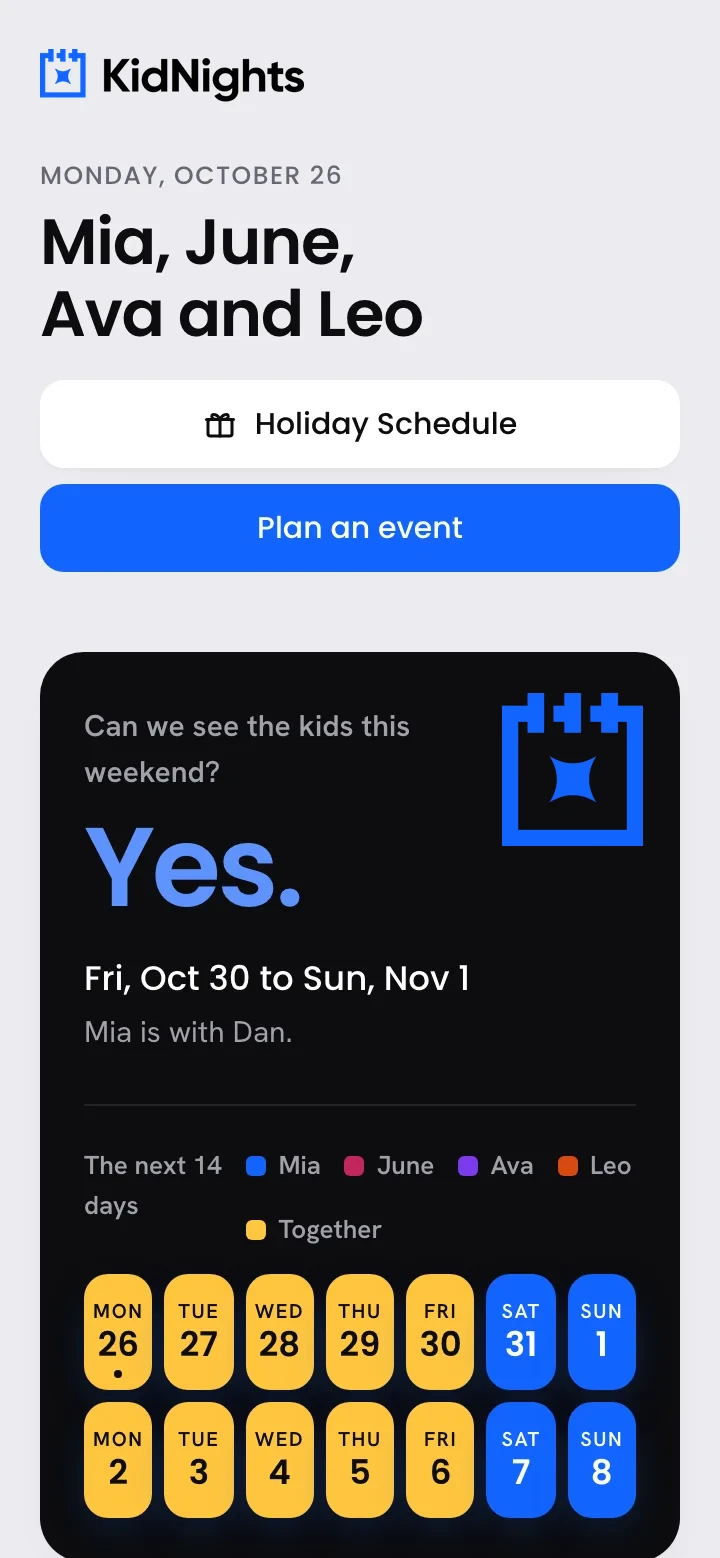
Fri, Oct 30 to Sun, Nov 1
KidNights knows which nights are yours, every weekend, holiday and school break, so the good plans get made early.

 Mia · Mar 13 to 22

 Leo · Fri to Mon

How it works
Upload the PDF or snap photos of each page. We set up the schedule, and you check it before anything goes live. No order handy? Pick the rules in a few taps.
Find each kid's school in any US district. Spring break, Thanksgiving and long weekends show up on the calendar.
Send the family link and code in one text. Grandparents see the schedule and find dates for a visit. No app, no account.
Inside KidNights
Add the PDF or a photo of each page. In about a minute every weekend, holiday and summer is on the calendar, and you check it before anything goes live.

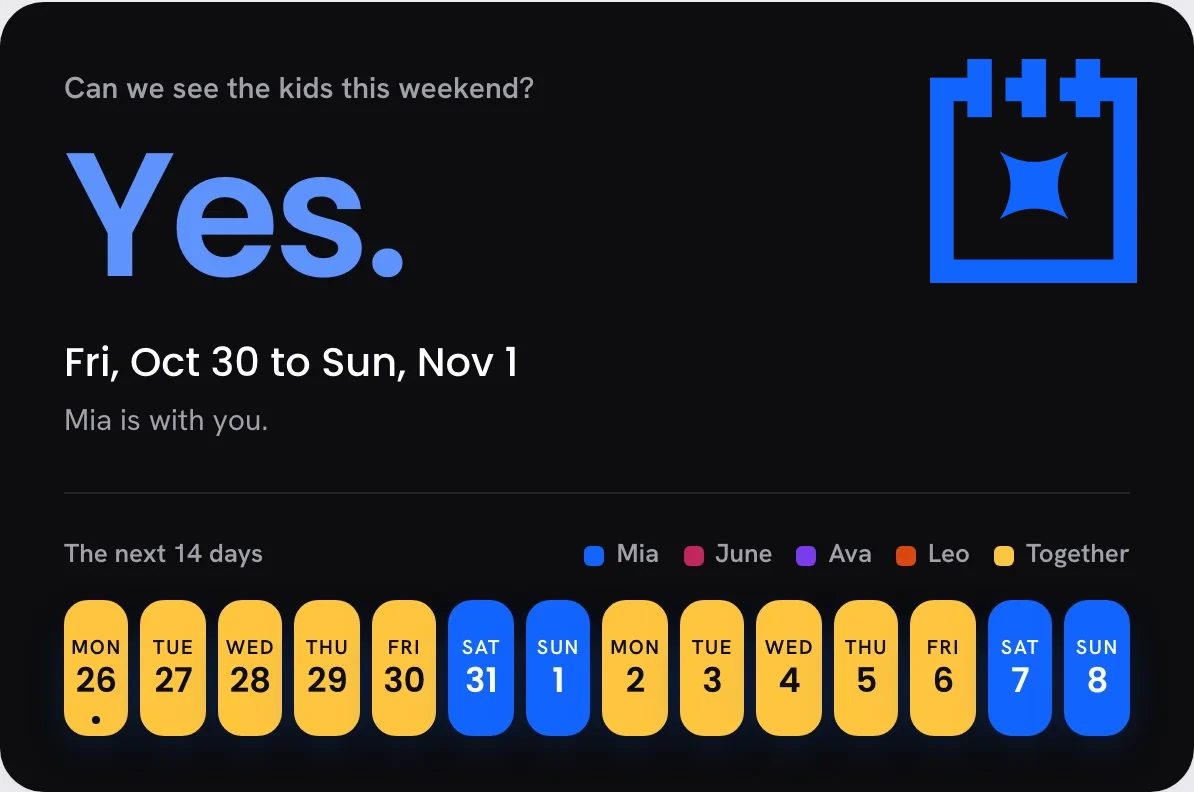
The answer is the first thing you see. Yes or no, the dates, and the next two weeks at a glance.

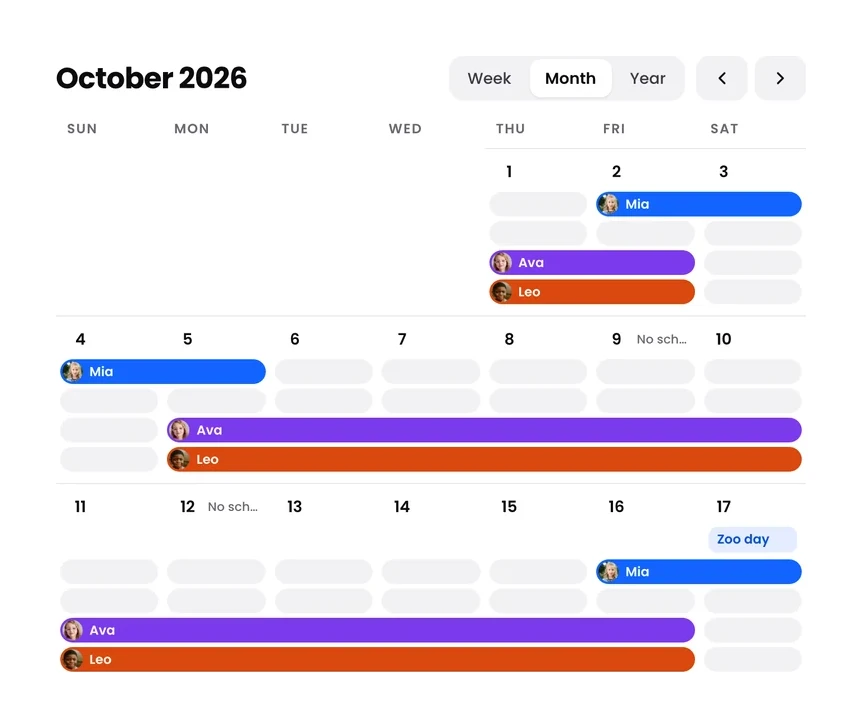
Weekends, holidays and school breaks follow each kid's own order and school. One calendar, a line per kid, their face at the start of every stay.

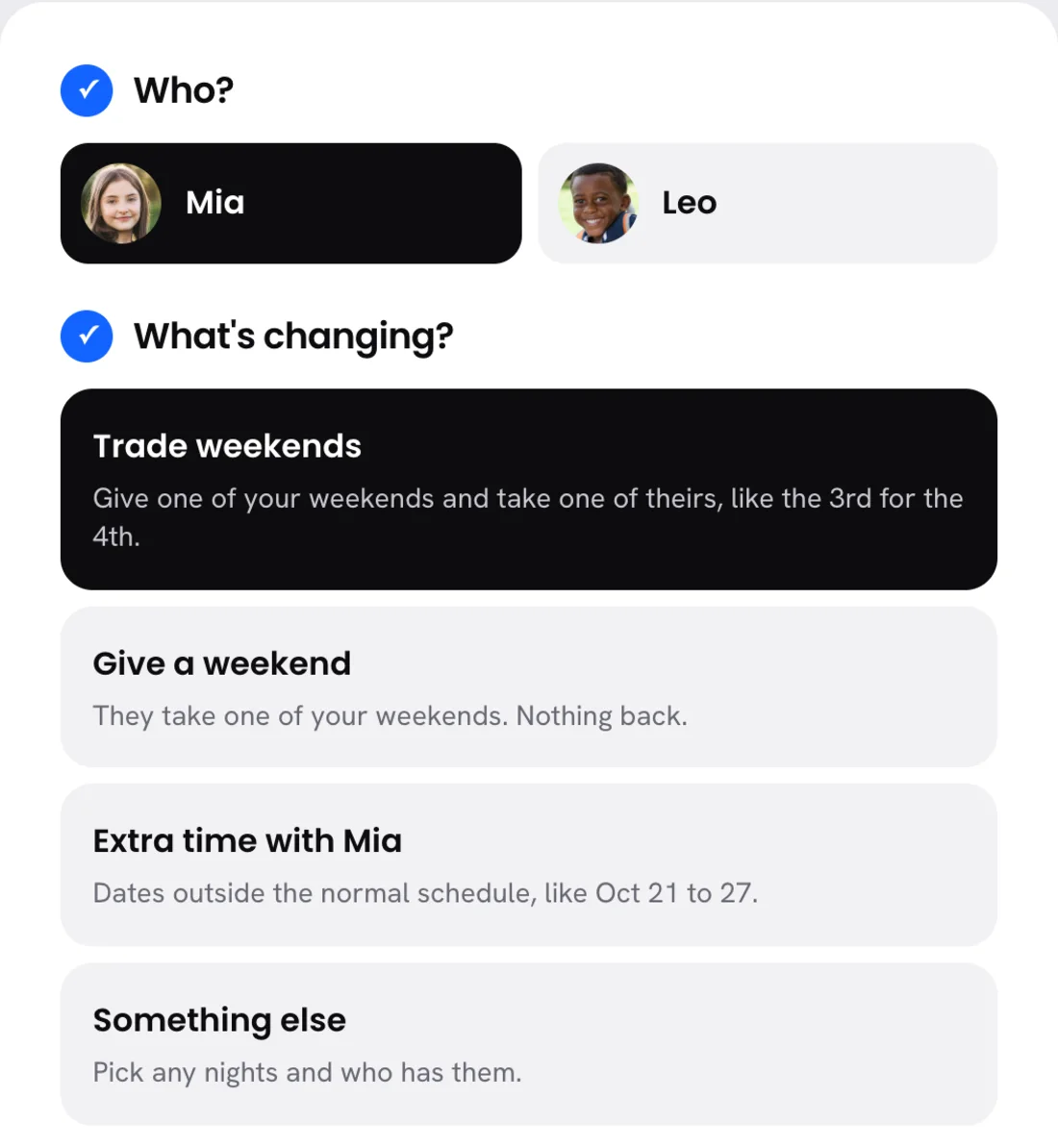
Trade a weekend, give one, or add extra time in a few taps. Your order stays the same underneath.

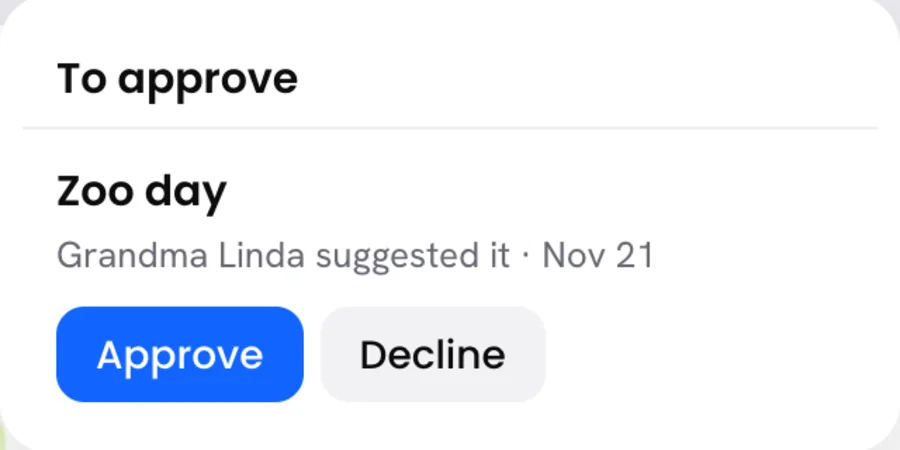
Family finds the open dates and suggests a visit. You or your spouse approve it, and it's on everyone's page.
The calendar
A line runs across the days each kid is with you, with their face at the start of every stay. Look at one week, the whole month, or the year ahead.
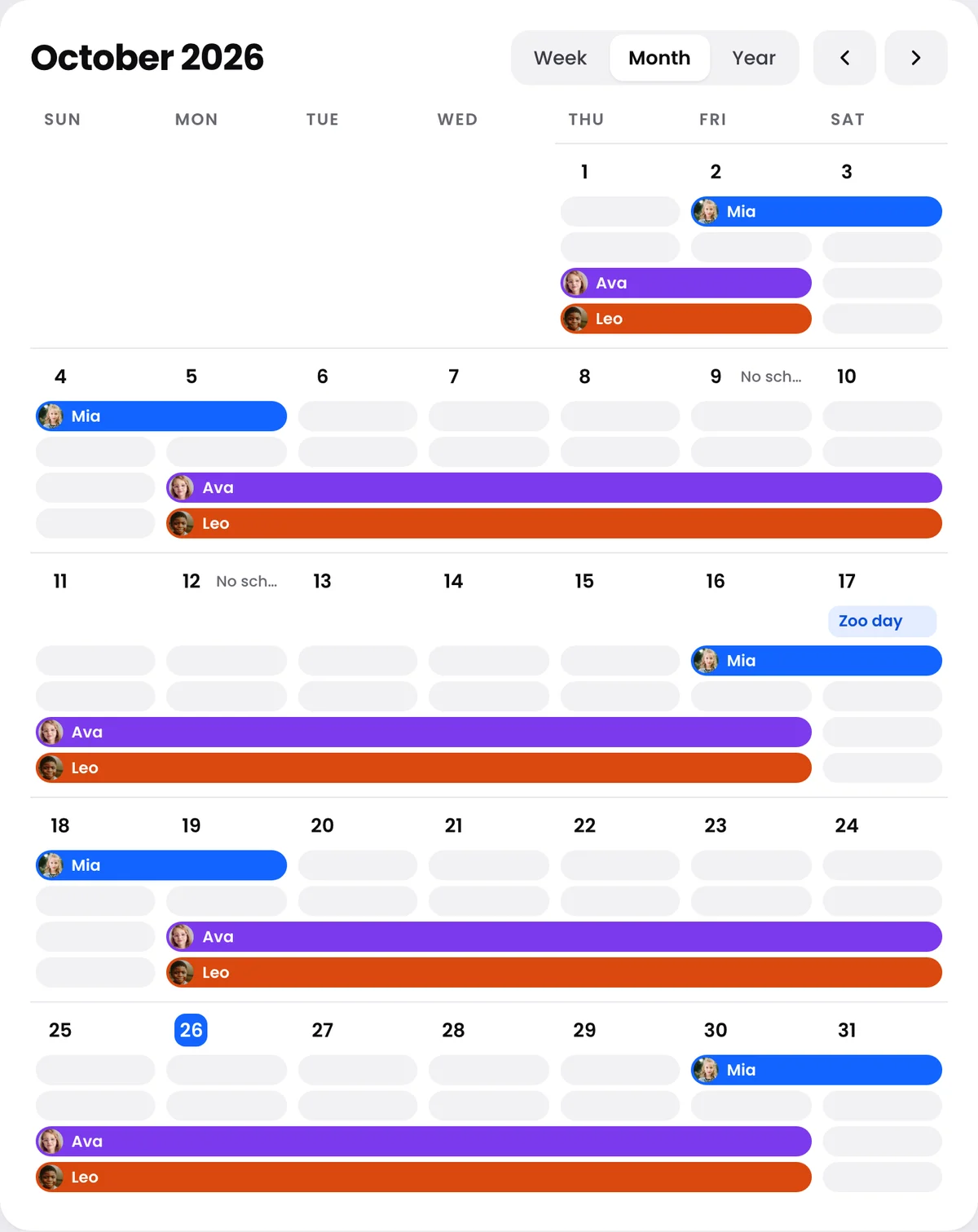

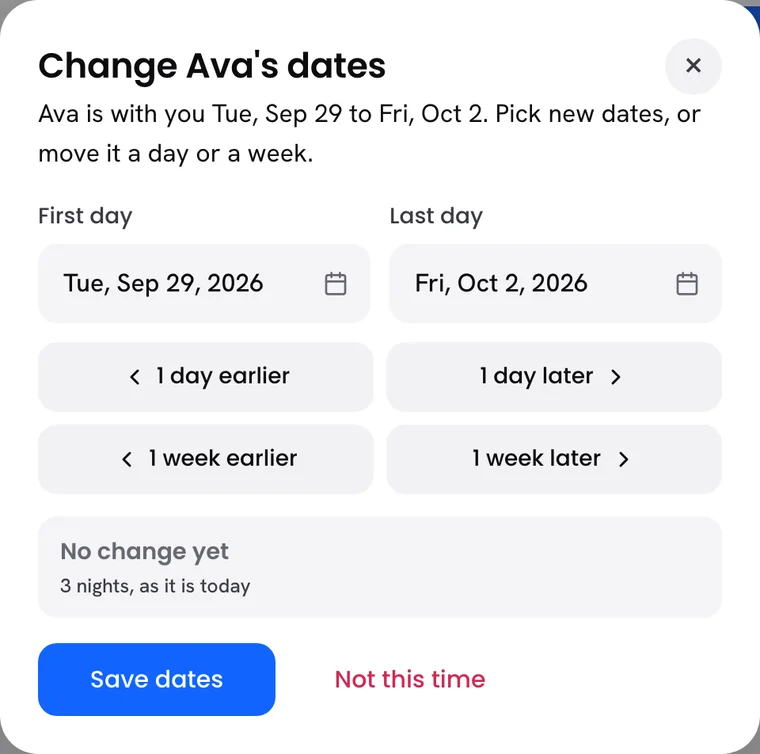
Plans move? Tap the line. Move a stay a day or a week, pick new dates, or give that one to the other home. Your order stays the same underneath.
Know every weekend, holiday and school break ahead of time, so the good plans get made.



 Ava · with you
Holidays
Thanksgiving, Christmas, spring break, Mother's Day and Father's Day. KidNights reads who has each one from your order, so nobody has to ask in November.

Plan the good stuff
Pick your dates on one calendar and see right away which nights work.
The family link
Send one link. Grandparents, aunts and uncles open it on their phone, type their own code, and see when the kids are with you. No app, no account, nothing to pay.

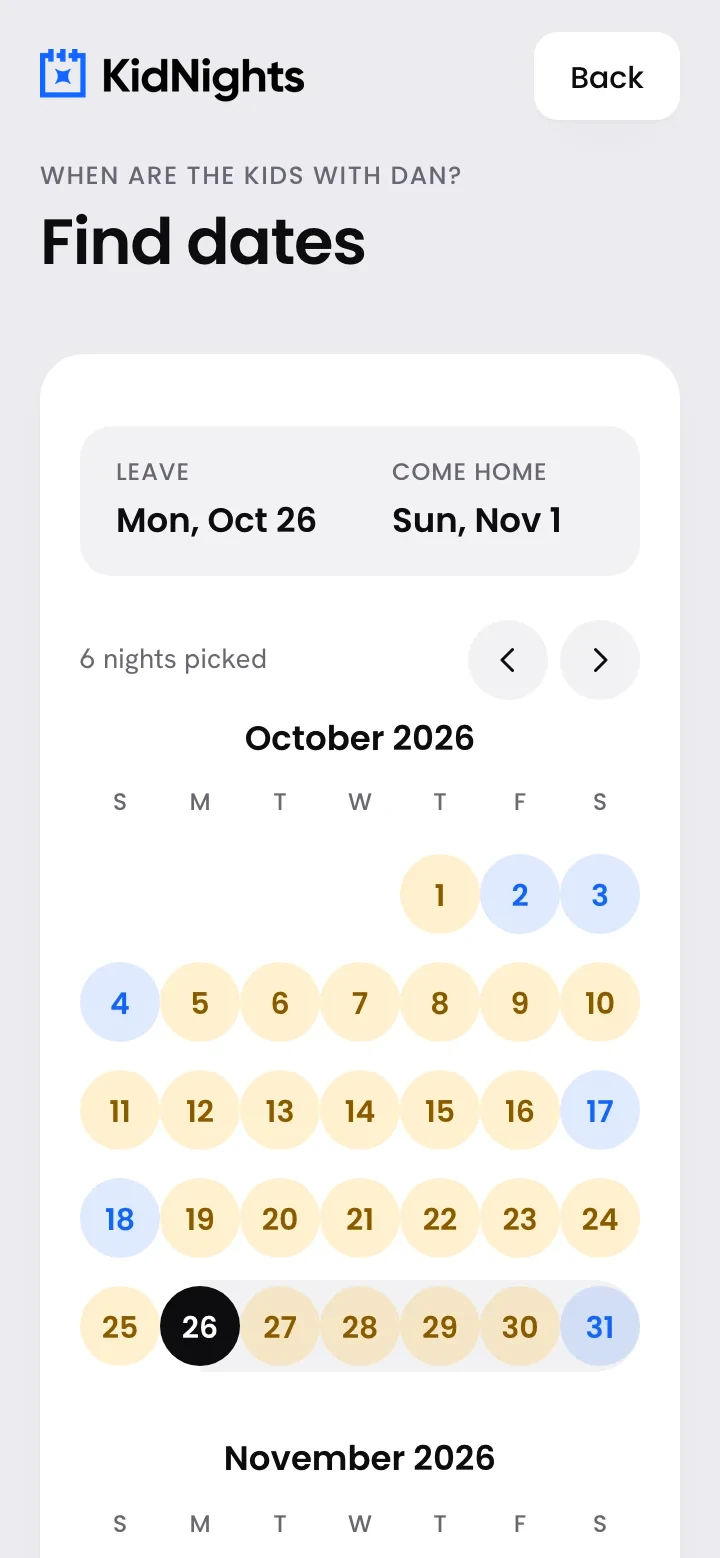
 Grandma Linda, every Sunday.
 Grandpa Joe's fishing weekend.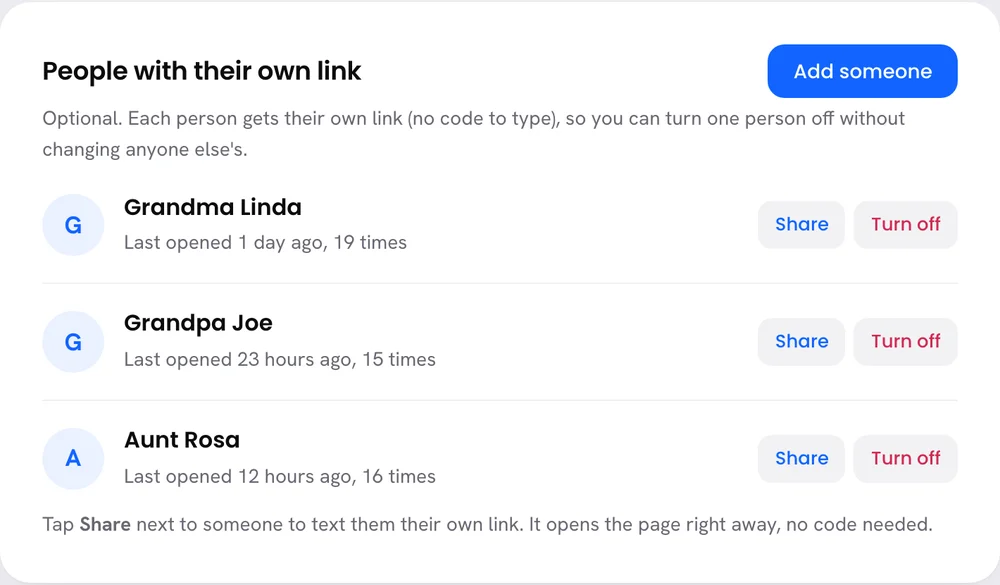
Trips, visits and slow Saturdays. When you know the dates months ahead, they actually happen.









Pricing
Start with 14 days free. No card to start, cancel any time.
Your spouse's kids from another home, each on their own schedule, next to yours. Your spouse signs in free.
Basic
We set you up.
$4.99a month
or $49 a year, 2 months free
Start freePlus
We keep it up to date.
$9.99a month
or $99 a year, 2 months free
Start freeWe read Texas standard possession orders and Florida long-distance plans for you. In any other state, pick your rules in a few taps. Already signed up? Sign in
Parents who share their kids with another home, and the family around them: a new spouse, grandparents, aunts and uncles. Anyone who asks "when can we see the kids?"
No. Upload your custody order and pick your kids' schools. We fill in the rules, and you check each one before anything goes live.
We read it, keep only the schedule rules, and delete the file unless you choose to keep a copy. Kept copies are encrypted, and your family never sees them.
Add every kid, from any home and any school district. KidNights finds the nights they're all with you, and the nights they're all away.
Yes. Invite them from a kid's page and they get their own account and plan, with that kid already set up from their side. Only that kid's schedule is shared. When either home changes a date, the other says yes first, then it shows on both calendars. Your trips, notes and other kids stay yours, and there's no chat. Grandparents and family never pay: they open your family link with their own code.
We read Texas standard possession orders and Florida long-distance plans for you. In any other state, upload your order and check the rules, or pick them in a few taps: every other weekend, a weeknight, summer weeks and holidays. Schools from any US district.
Tap Change schedule: trade a weekend, give one, or add extra time. Your order stays the same underneath, and you can undo any change.
Add them with the Family plan, $2 more a month. Every kid gets their own color and schedule, and you see the times you're all together. Your spouse signs in free.
Yes, free, with their own email and password. They see everything you see. If the parent who pays ever deletes their account, your spouse takes over the home: the kids, schedules, photos and papers all stay.
We read who has each holiday from your order, and even and odd years switch on their own. Change one for just this year and next year goes back to your order. Half days work too, like Christmas morning at one home and the night at the other.
Yes. The calendar shows a week, a month or the whole year, with a line for each kid across the days they're with you. Tap a line to move a stay a day or a week, pick new dates, or add time.
Yes. Share one family code with everyone, or give each person their own link with their photo. You see when each one last opened it, and you can turn one person off without changing anyone else's.
Yes, in two steps on Plan and billing. Your plan stays on through what you paid for, then stops, and you're never charged again. Your kids' schedule stays saved if you come back. Deleting your account cancels your plan first, too.
No. KidNights helps you plan. Your court order always wins, and a lawyer is the right call for legal questions.
Email hello@kidnights.com, or use Contact us inside the app. A real person answers, usually within one business day.
Set it up tonight. Your family can see it tomorrow.